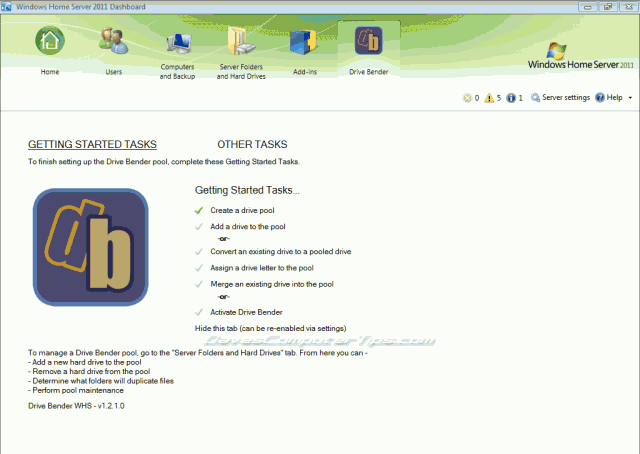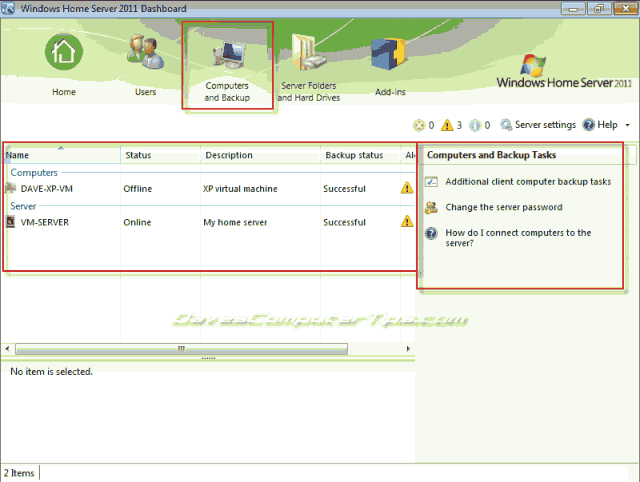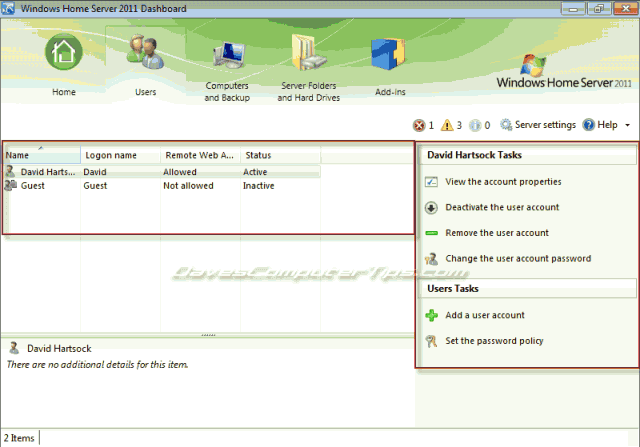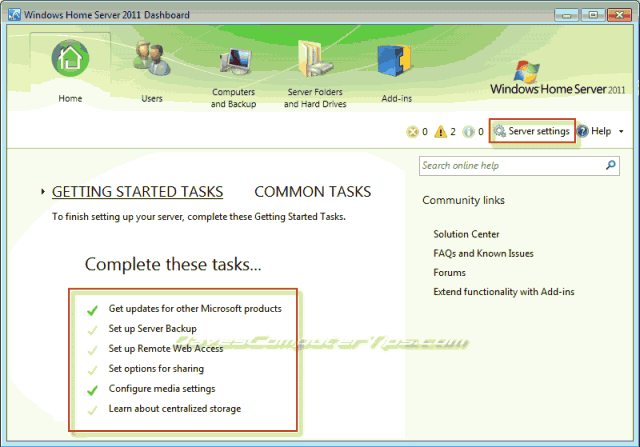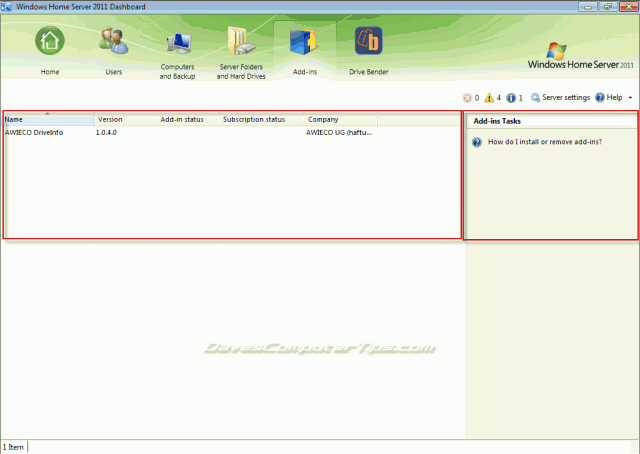
This article is a continuation of our in-depth Windows Home Server 2011 Dashboard series. The previous articles in this series are: Home tab, Users tab, Computers and Backup tab, and Server Folders and Hard Drives tab. If you haven’t been following along it is highly recommended that you read the previous articles.
Category Archive: Windows Home Server
articles about Windows Home Server
Permanent link to this article: http://www.davescomputertips.com/2011/10/the-windows-home-server-2011-dashboard-wrap-up/
Oct 21
Drive Bender: Drive extender technology for all
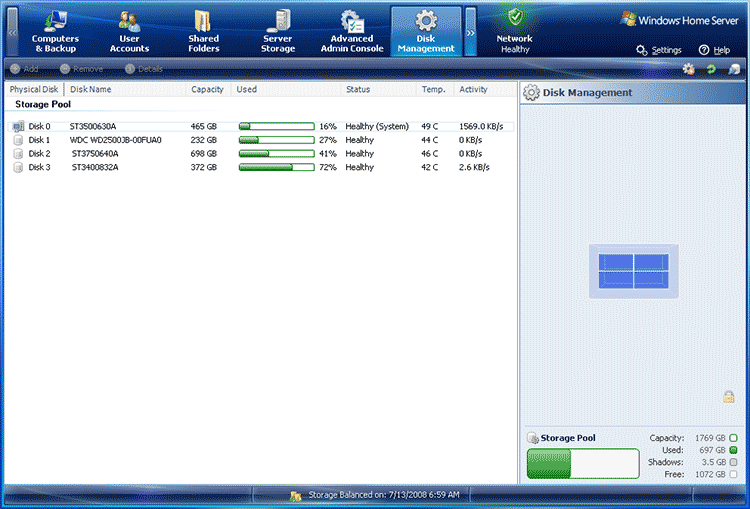
One of the killer features of WHS V1 was named Drive Extender. Drive extender technology allowed multiple drives to be added to a computer, but they were viewed by the OS as a pool of storage or one large drive. Drive extender also included the ability to automatically duplicate folders for redundancy through a feature …
Permanent link to this article: http://www.davescomputertips.com/2011/10/drive-bender-drive-extender-technology-for-all/
Oct 12
The Windows Home Server 2011 Dashboard: Server Folders and Hard Drives
If you’ve missed our past articles on Windows Home Server 2011 you can catch up by reading the previous articles covering installation of Windows Home Server 2011, installing the Connector software, the Dashboard Home tab, the Dashboard Users tab, and the Dashboard Computers and Backup tab. If you’ve been considering adding Windows Home Server to …
Permanent link to this article: http://www.davescomputertips.com/2011/10/the-windows-home-server-2011-dashboard-server-folders-and-hard-drives/
Sep 28
The Windows Home Server 2011 Dashboard: Computers and Backup tab
In recent posts I’ve covered installing Windows Home Server 2011, installing the WHS Connector, the Dashboard home tab, and the Dashboard Users tab. In this post I would like to continue on with the theme and introduce you to the Computers and Backup tab of the Windows Home Server 2011 Dashboard.
Windows Home Server 2011 …
Permanent link to this article: http://www.davescomputertips.com/2011/09/the-windows-home-server-2011-dashboard-computers-and-backup-tab/
Sep 21
The Windows Home Server 2011 Dashboard: Users tab
We’ve covered the installation of Windows Home Server 2011, installing the Connector software on client computers, the Dashboard Home tab, and if you’ve followed along you are now ready to interact with the server from your client computers using the Dashboard. If you’re new to Windows Home Server 2011 now is a great time to …
Permanent link to this article: http://www.davescomputertips.com/2011/09/the-windows-home-server-2011-dashboard-users-tab/
Sep 14
The Windows Home Server 2011 Dashboard: Home tab
We’ve covered the installation of Windows Home Server 2011 and installing the Connector software on client computers and if you’ve followed along you are now ready to interact with the server from your client computers using the Dashboard. If you’re new to Windows Home Server 2011 now is a great time to jump on the …
Permanent link to this article: http://www.davescomputertips.com/2011/09/the-windows-home-server-2011-dashboard-home-tab/
Aug 17
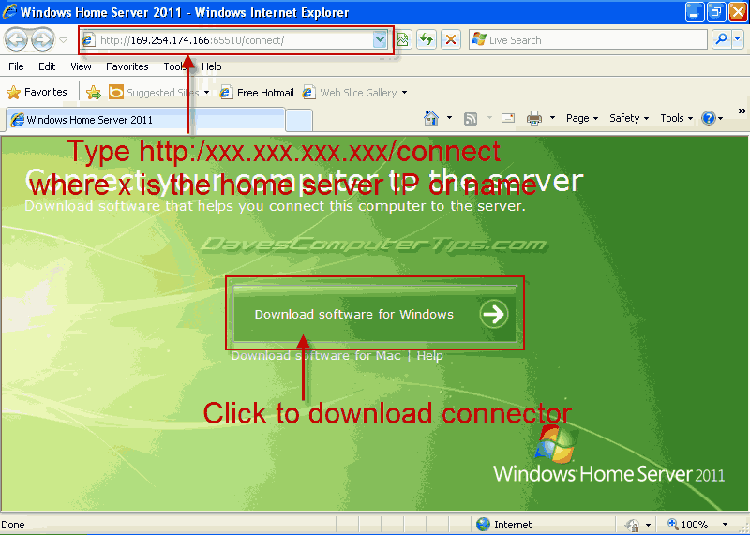
How to install the Windows Home Server 2011 connector software
In the past few issues I’ve covered basic considerations you should plan for before installing Windows Home Server 2011 and the actual installation of WHS 2011. I plan to continue the series but before I get started I wanted to share the fact that Microsoft has greatly lowered the price of this great software! It …
Permanent link to this article: http://www.davescomputertips.com/2011/08/how-to-install-the-windows-home-server-2011-connector-software/
Aug 14
Windows Home Server V1 Drive Extender
NOTE: This article was written in 2008 in response to an email received from Colin. It briefly explains Drive Extender and touches on configuration ~ Dave
The most important thing to do when building a Windows Home Server is to install the largest drive you have as the primary system drive. The reason behind this …
Permanent link to this article: http://www.davescomputertips.com/2011/08/windows-home-server-v1-drive-extender/
Aug 14
Things to consider before installing, or upgrading to, Windows Home Server 2011
If you’ve been with us for for any length of time you may have noticed we cover Windows Home Server from time to time. As a matter of fact I’ve been running Windows Home Server (WHS) version 1 here at DCT Central since it was released in late 2007. It has been a positive experience …
Permanent link to this article: http://www.davescomputertips.com/2011/08/things-to-consider-before-installing-or-upgrading-to-windows-home-server-2011/
Aug 14
An introduction to Windows Home Server V1
This article was originally written about Windows Home Server, but many of the features and basic abilities hold true for the new version, Windows Home Server 2011 ~ Dave
A Little Background
You may have heard the term "server" before. Servers are computers that serve content, files, web pages, email, and other things to multiple …
Permanent link to this article: http://www.davescomputertips.com/2011/08/an-introduction-to-windows-home-server-v1/
Aug 14
How to backup your Windows Home Server V1
We’ve talked about how useful Windows Home Server is in the past. We’ve also talked about how Windows Home Server protects your files by duplicating them on multiple hard drives to protect against failure. But my motto has always been, “You can never have enough backups!” If you’re Uninteruptable Power Supply fails, your motherboard dies …
Permanent link to this article: http://www.davescomputertips.com/2011/08/how-to-backup-your-windows-home-server-v1/
Aug 14
How do backups work in Windows Home Server V1
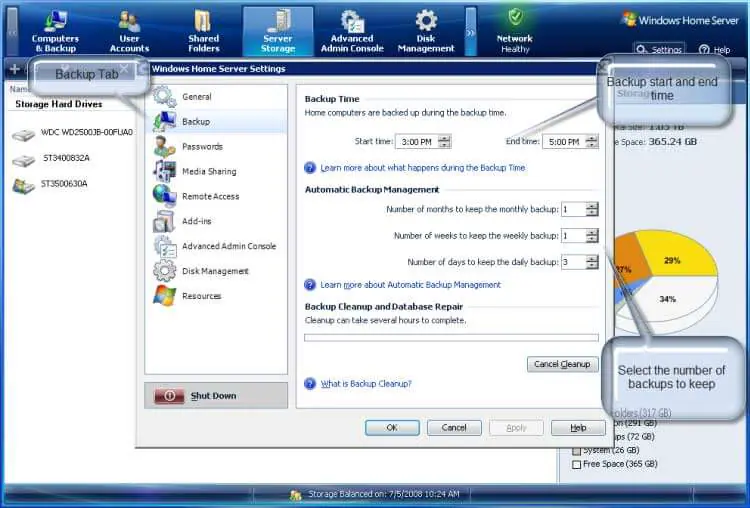
The best feature for the home user in Windows Home Server has to be the backup of every Windows based computer on your network. Once you have installed the Connector software on a computer WHS will begin backing it up automatically. There are settings that you can control such as: backup time and number of …
Permanent link to this article: http://www.davescomputertips.com/2011/08/how-do-backups-work-in-windows-home-server-v1/
Aug 14
How to hack Windows Home Server V1 to enable backup duplication
WHS stores files like videos, documents, and music in folders called shares. WHS has a neat feature called duplication. Using duplication a user can specify shares to be duplicated on more than one drive, if the server has two or more drives. When duplication is chosen WHS keeps two copies of each file and stores …
Permanent link to this article: http://www.davescomputertips.com/2011/08/how-to-hack-windows-home-server-v1-to-enable-backup-duplication/
Aug 14
How to change the workgroup of Windows Home Server 2011
WHS 2011 uses the default workgroup of “Workgroup”, which is the default workgroup of every other version of Windows. However, many choose to change their home network’s workgroup to a more meaningful name. For example, my workgroup is “Hartsock”. Contrary to normal network sharing protocal WHS 2011 will work perfectly if its’ workgroup name doesn’t …
Permanent link to this article: http://www.davescomputertips.com/2011/08/how-to-change-the-workgroup-of-windows-home-server-2011/
Aug 12
The Windows host file
In previous articles I’ve discussed URLs in depth. Part of that article also explained DNS (Domain Name System) server. The Windows OS has something similar to its’ own DNS server built into the operating system. It’s called a HOSTS file. Every time you type an address into the address bar of a browser Windows looks …
Permanent link to this article: http://www.davescomputertips.com/2011/08/the-windows-host-file/