Category Archive: Windows 7

Microsoft Windows 7 operating system articles

Aug
21

Windows 7 direct download (incl. SP1)

Windows 7 direct download (incl. SP1) – Download genuine Windows 7 ISO files which include Service Pack 1.

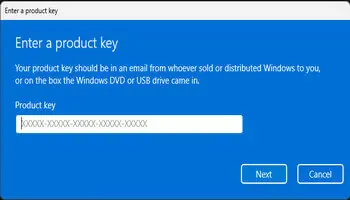
This is very handy for those users who did not receive an installation disc with their computer. It is not illegal, there is no product key involved and you will still need to use the product key …

Continue reading »

Permanent link to this article: http://www.davescomputertips.com/2011/08/windows-7-direct-download-incl-sp1/

Aug
18

How To: Add extra time zones to System Tray Clock

Time zones 1

A simple but useful option available in Windows 7, which many may not be aware of, is the ability to display up to 2 additional time zones via the System Tray Clock. Living in Oz and continually battling the time differences, I have found this to be particularly helpful.

Here’s how:

Left click on the …

Continue reading »

Permanent link to this article: http://www.davescomputertips.com/2011/08/how-to-add-extra-time-zones-to-system-tray-clock/

Aug
13

How to take ownership of a file in Windows 7 and Vista

admin_security

By default Windows 7 and Vista protect files and folders that it believes are important to the operating system. These files are even protected from users operating under administrative permissions. The reasoning behind this is two fold; first so the user doesn’t delete an important file which can render Windows unusable, and second to prevent …

Continue reading »

Permanent link to this article: http://www.davescomputertips.com/2011/08/how-to-take-ownership-of-a-file-in-windows-7-and-vista/

Aug
13

How to do a clean install of Windows 7 without activation on your OEM computer

windows_loading_files

Hey, you’ve bought a new computer with Windows 7 installed! Isn’t that great? Yes and no. PC Manufacturers have been installing many trial programs and helper applications, often called "bloatware". The manufacturers say they install this software to provide a better user experience and they can lower the computer cost because they get a cut …

Continue reading »

Permanent link to this article: http://www.davescomputertips.com/2011/08/how-to-do-a-clean-install-of-windows-7-without-activation-on-your-oem-computer/

Aug
13

How to include Windows XP computers in your Vista or Windows 7 network map

network_map_empty

What is a Network Map?

Having multiple computers in the same home, or small office, is common. It’s becoming a rule, rather than an exception. Moms, Dads, and children all want to be online simultaneously as they work and play. As the number of computers increase so does the complexity of the network. Vista introduced …

Continue reading »

Permanent link to this article: http://www.davescomputertips.com/2011/08/how-to-include-windows-xp-computers-in-your-vista-or-windows-7-network-map/

Aug
13

How to do a clean install of Windows 7 using only an upgrade version

You can install the upgrade version of Windows 7 without having any previous Windows version at all. Windows 7 will accept an unactivated Windows 7 installation as a previous version. This can save you between $75 and $160 by buying an upgrade version instead of a full version of Windows 7.

How to perform a …

Continue reading »

Permanent link to this article: http://www.davescomputertips.com/2011/08/how-to-do-a-clean-install-of-windows-7-using-only-an-upgrade-version/

Aug
13

Windows 7 system restore explained

system_restore_points

Microsoft has included a system restore function in Windows since Windows ME as a way of providing protection to the important system files of the operating system. How successful this has been in the past is open to discussion, and many will say it has been less than reliable in versions prior to Vista.

Microsoft …

Continue reading »

Permanent link to this article: http://www.davescomputertips.com/2011/08/windows-7-system-restore-explained/

Aug
13

What is the Windows 7 device stage

dell_printer_device_stage

Microsoft introduced an interesting feature in Windows 7 named Device Stage, or Devices and Printers. Their goal was to create a central interface to manage and interact with all devices attached to the computer.

Back in 2009 Microsoft described Device Stage as:

Think of Device Stage as a home page for your hardware: When you …

Continue reading »

Permanent link to this article: http://www.davescomputertips.com/2011/08/what-is-the-windows-7-device-stage/

Aug
13

The complete guide to Windows 7 upgrades and versions

win7_home_premium

Windows 7 Versions and Upgrades

Unless you have been living under a rock for the past eighteen months you are probably aware that Microsoft has a hit with their newest Operating System, Windows 7. Windows 7 has been the topic of network news reports, slightly funny commercials, and general internet buzz! Many die hard XP …

Continue reading »

Permanent link to this article: http://www.davescomputertips.com/2011/08/the-complete-guide-to-windows-7-upgrades-and-versions/

Aug
13

How to completely restore a Windows 7 computer using a system image

restore_1

In our Create a Windows 7 system image article we created a system image, using the built in Backup and Restore function of Windows 7, to create a backup of your computer that will allow you to completely recover your files, pictures, email, and settings should you experience a computer “disaster”. Seems all well and …

Continue reading »

Permanent link to this article: http://www.davescomputertips.com/2011/08/how-to-completely-restore-a-windows-7-computer-using-a-system-image/

Aug
13

How to mount a Windows 7 system image as a VHD

computer_before

In past articles we’ve covered how to create a Windows 7 system using features built into the OS and how to restore your computer using a system image. We’ve also learned that a system image can be used to restore your computer to the exact state (programs, documents, settings, etc) it was in when the …

Continue reading »

Permanent link to this article: http://www.davescomputertips.com/2011/08/how-to-mount-a-windows-7-system-image-as-a-vhd/

Aug
13

An introduction to Windows 7

win_7_desktop_lg

Windows 7 is based on an improved Windows Vista kernel, or core. Basically improved memory management and I/O processing. It isn’t a major change such as between Windows XP and Vista. Think Apple. Well don’t think too much about apple, but it is a good example of each new OS being a refinement of the …

Continue reading »

Permanent link to this article: http://www.davescomputertips.com/2011/08/an-introduction-to-windows-7/

Aug
13

How to manage system restore size and restore points in Windows 7

open_system_applet

Click the Start Orb to open the Start Menu. Once the Start Menu is open right click on Computer in the right hand pane. This will open a menu. Click on Properties to open the System applet.

The System applet will open. Take a look around as there is useful information, but what we …

Continue reading »

Permanent link to this article: http://www.davescomputertips.com/2011/08/how-to-manage-system-restore-size-and-restore-points-in-windows-7/

Aug
12

How to add and remove system icons from the Windows 7 desktop

menu_personalize

Right click an empty place on your desktop and select Personalize from the menu that opens.

In the Personalization window that opens click Change desktop icons to open the Desktop Icon Settings Window.

In the Desktop Icon Settings window uncheck the box adjacent to the icon(s) you no longer with to appear on …

Continue reading »

Permanent link to this article: http://www.davescomputertips.com/2011/08/how-to-add-and-remove-system-icons-from-the-windows-7-desktop/

Aug
12

How to create a Windows 7 system image

open_backup_and_restore

You can never have enough backups and I’ve always encouraged Daves Computer Tips readers to use Acronis True Image to backup their computer, and I still do. An image is the ultimate backup with the ability to restore your computer to the exact state it was in when the image was created. True Image has …

Continue reading »

Permanent link to this article: http://www.davescomputertips.com/2011/08/how-to-create-a-windows-7-system-image/

Page 1 of 212